Art & simulation / July–September 2026
Volume Studio
Paint through space.

THE IDEA
Paint through space.
What happens if a brushstroke has depth? Volume Studio turns that question into a scene I can move around and interact with.
What I built
A volumetric dye and smoke studio with adjustable working depth, a movable camera, sculpted obstacles, STL imports and full-volume artwork files. This is both the 3D painting experiment and the 3D fluid-flow experiment in this collection.
Working with AI
Adding a third dimension made state and geometry harder to reason about. Imported meshes, collision masks, world size and saved fluid need to agree. Worker tests and round-trip checks give those features a concrete way to be evaluated.
A QUICK DEMO
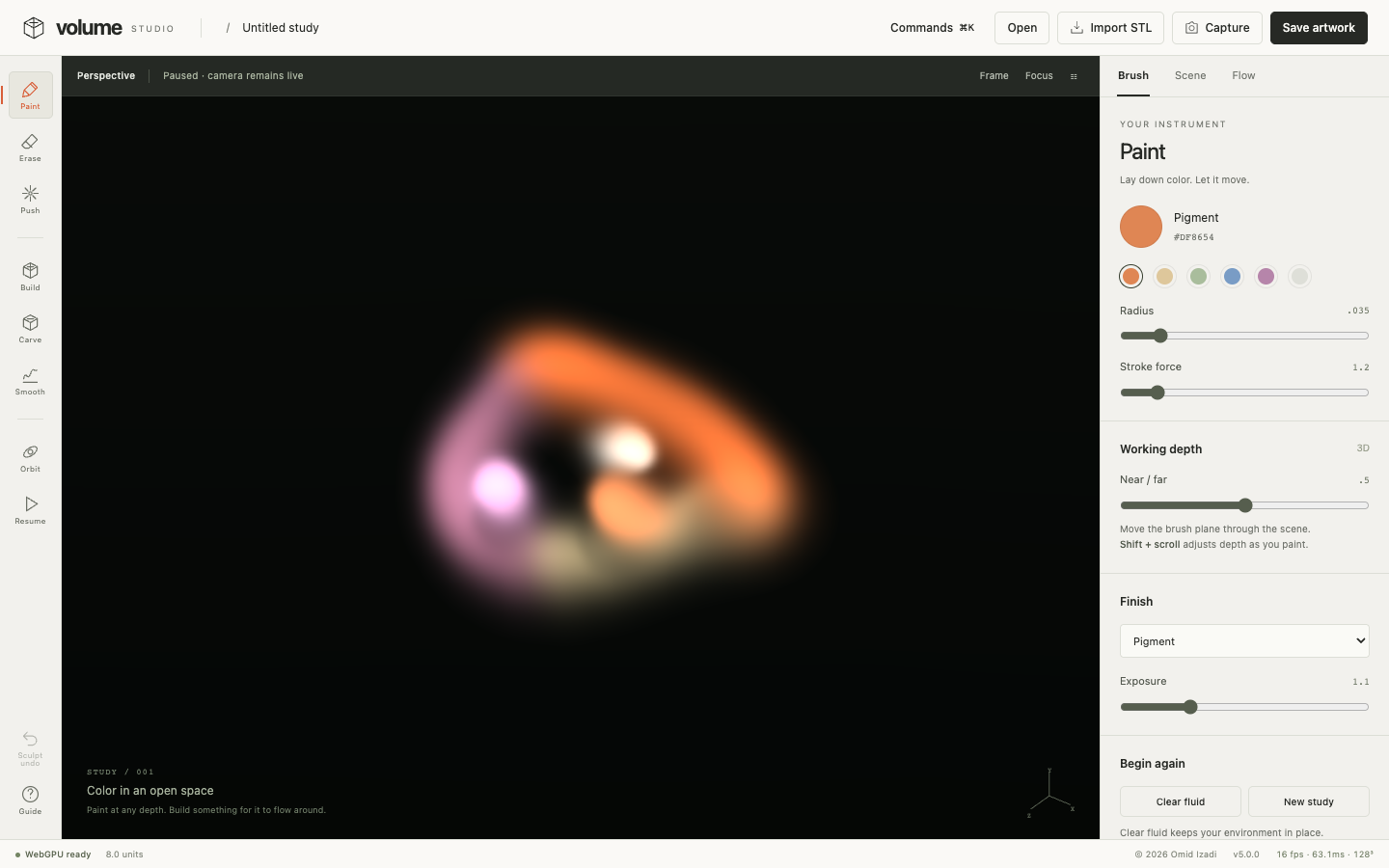
Make a stroke with depth
Try the project with a small, deliberate experiment.
Actual app recording · October 1, 2026 · live volume, orbit, paint and pause
Choose Paint, pick a pigment, and drag through the scene.
Adjust Working depth and add another stroke. Right-drag to orbit and see the separation.
Use Build to add an obstacle, then resume the flow. Capture saves an image; Save artwork preserves the volume.
PROJECT SCOPE
What to know.
- Models volumetric dye and smoke. It does not simulate a free-surface liquid tank.
- Requires WebGPU; larger volumes need more memory and GPU time.
- Undo affects the last sculpt edit. It is not general painting undo.
20 fresh browser/GPU workflow checks pass on Chrome 154 with Apple Metal, including camera, painting, STL lifecycle and exports. A full 128³ saved volume restores byte-identical dye, velocity, pressure and obstacles; four malformed scenes are rejected without replacing textures. Geometry and worker checks are recorded separately. See verification notes →